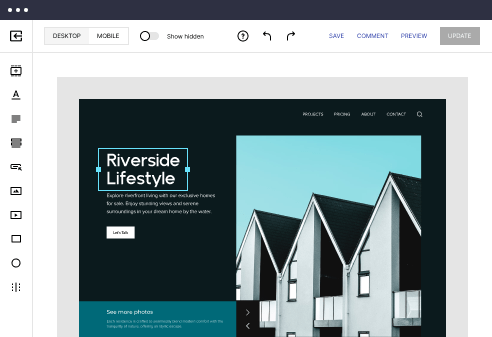

Laravel optimized payment confirmation page template
Explore Similar TemplatesAbout template
Supercharge your payment confirmation page with Laravel for outstanding performance! Learn more today.
Recommended templates



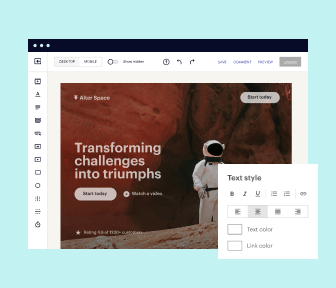
Easy to build without coding
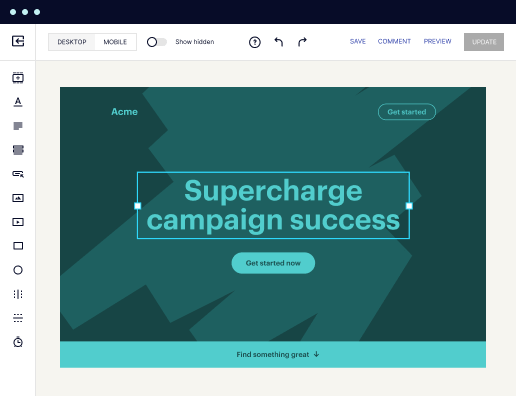
With the intuitive drag-and-drop builder, anyone on your team can create high-converting pages without any knowledge of code or design. Make enhancements to your landing page with custom widgets using Javascript, HTML/CSS, or third-party scripts.
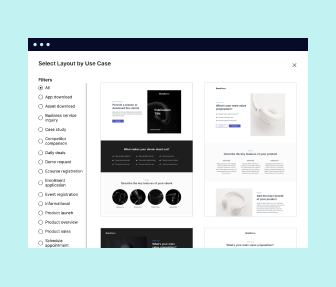
Multiple layouts for any industry and goal
Select from 500+ landing page layouts built to boost conversions across industry-specific scenarios. Customize them by adjusting fonts, adding images, and generating on-brand content with the AI assistant. Quickly scale with Instablocks® and Global Blocks that you can save, reuse, and update globally.
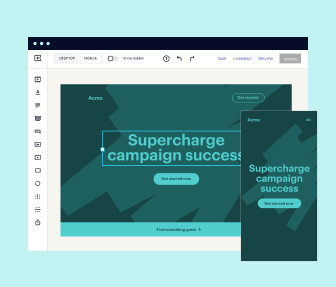
Loads fast and looks polished on any device
Every template is responsive, which means they present professionally on any device and load blazingly fast with our Thor Render Engine. You can also power them up with Google AMP technology to deliver an unparalleled mobile experience and drive higher conversions.
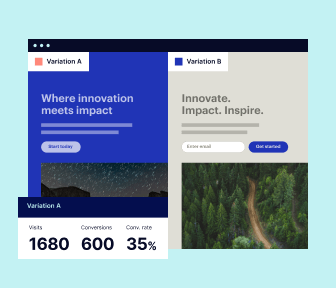
Robust analytics & experimentation
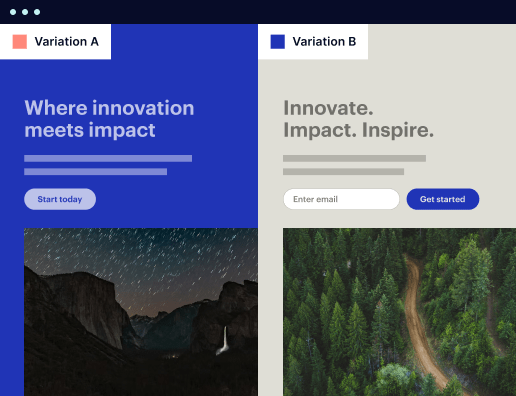
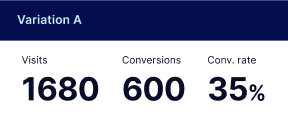
Get real-time updates and reporting across all your devices, showing the number of visitors, conversions, cost-per-visitor, and cost-per-lead. Launch AI-powered experiments, run A/B tests, and use heatmaps to analyze user behavior, then optimize your landing page to maximize conversions.
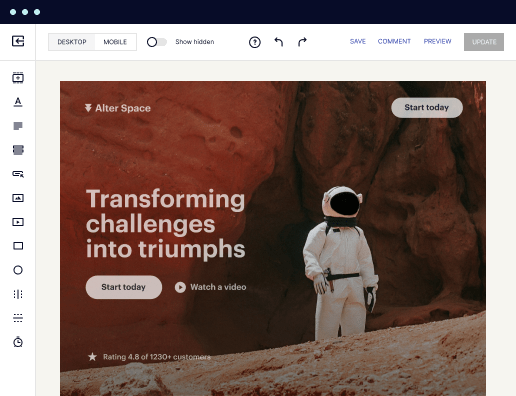

Easy to build without coding
With the intuitive drag-and-drop builder, anyone on your team can create high-converting pages without any knowledge of code or design. Make enhancements to your landing page with custom widgets using Javascript, HTML/CSS, or third-party scripts.
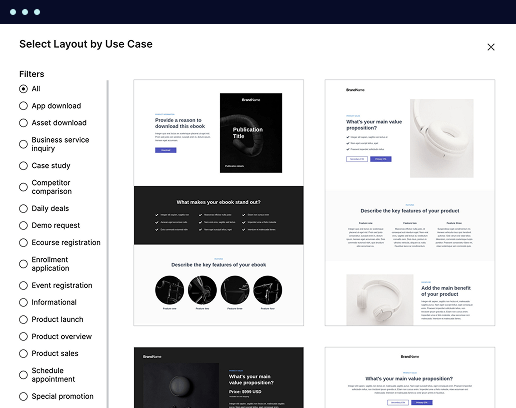
Multiple layouts for any industry and goal
Select from 500+ landing page layouts built to boost conversions across industry-specific scenarios. Customize them by adjusting fonts, adding images, and generating on-brand content with the AI assistant. Quickly scale with Instablocks® and Global Blocks that you can save, reuse, and update globally.
Loads fast and looks polished on any device
Every template is responsive, which means they present professionally on any device and load blazingly fast with our Thor Render Engine.
Robust analytics & experimentation
Get real-time updates and reporting across all your devices, showing the number of visitors, conversions, cost-per-visitor, and cost-per-lead. Launch AI-powered experiments, run A/B tests, and use heatmaps to analyze user behavior, then optimize your landing page to maximize conversions.
All the features you need to build lead-generating landing pages

Landing page builder
Easily create landing pages with the intuitive drag-and-drop page builder that features contextual element editing, over 500 page layouts, and 33 million images.

Visual on-page collaboration
Invite teammates and clients to collaborate on page design in real time to get your pages created, reviewed, and launched faster.

AI content generation
Instantly generate audience-focused content with AI-crafted headlines, paragraphs, and CTAs directly within the Instapage builder.

500+ customizable layouts
Choose from a range of professionally tailored page layouts, specifically designed to enhance conversion rates across numerous industry-specific scenarios.
Instablocks
Quickly build personalized landing pages using individual page blocks that you can customize, save, and reuse.
Thor Render Engine
Our back-end technology ensures that your landing pages load quickly to increase conversions, SEO rankings, and enhance the overall user experience.
Analytics
Seamlessly connect to Google Analytics to get real-time updates on cost-per-visitor and cost-per-lead metrics directly in the Instapage platform.
Learn how to build top-performing landing pages for any goal
FAQs

“Instapage gives us the ability to tailor our landing page content and layout to tell a unique story for each geographical target. The platform also enables us to create different variations with content that performs well for each unique channel. Every marketing team needs this!”


"Instapage has truly maximized our digital advertising performance by enabling us to offer matching, personalized experiences for every ad and audience. Now we can scale our landing page experiences as efficiently and effectively as we scale the ads themselves."


"If we have to wait on a developer, our creative velocity plummets. But Instapage has made it possible for us to exponentially grow our advertising programs and convert more customers"

Leading the way in building high-performing landing pages





A step-by-step guide to creating optimized landing pages on Instapage
Instapage empowers marketers to build and optimize landing pages that convert leads into customers, regardless of team size or budget. With its robust set of tools and templates, you can streamline your digital marketing campaigns for better ROI. This guide walks you through the essential steps to leverage Instapage for your landing page needs.
Understanding the basics of Instapage for landing pages
Instapage is an all-in-one platform that simplifies the creation of high-converting landing pages. Its user-friendly interface and extensive library of templates make it efficient for marketers in varied industries, from financial services to tech and education. You’ll discover how the platform enhances collaboration and personalizes user experiences.
- Access to over 100 high-converting templates to kickstart your campaigns.
- No coding or development experience required; simple drag-and-drop functionalities.
- A/B testing feature to identify the best performing elements on your pages.
Setting up your first landing page
Creating a landing page with Instapage is a straightforward process that begins with selecting a template that fits your goals.
- Choose a template from the library that aligns with your campaign objective and customize it to match your branding.
- Add lead gen elements such as forms and CTA buttons to capture visitor information.
- Utilize the integration options to connect your landing page with your CRM or email marketing software.
Optimizing your landing page for conversions
Once your page is set up, the next step is optimization. Instapage offers advanced tools for enhancing conversions.
- Use built-in heatmaps to analyze user behavior and adjust page elements based on data-driven insights.
- Conduct A/B tests to compare variations of your landing page and choose the most effective elements.
- Incorporate personalization tactics like dynamic text replacement to tailor messages to specific audience segments.
Following these steps will ensure that your landing page not only attracts visitors but also guides them toward taking action.
As you conclude your setup, remember that continuous testing and updates are essential to maintain high performance.
Start optimizing your landing pages today with Instapage, and transform your marketing efforts into successful campaigns that yield significant returns.
Laravel optimized payment confirmation page template
Understanding Laravel’s role in crafting an optimized payment confirmation page
Laravel is a robust PHP framework designed to make the development process smoother and more enjoyable. It enables developers to build efficient and powerful web applications, including e-commerce platforms featuring payment functionalities. A payment confirmation page serves as a crucial component in this setup, providing users with essential information about their transactions while instilling confidence in the vendor’s credibility.
The importance of a payment confirmation page
A payment confirmation page is vital in establishing trust and transparency between the customer and the seller. After a transaction, customers need reassurance that their payment was successful. They want clear details confirming what they purchased and how much they paid.
Defining the purpose of a payment confirmation page
Reassurance for customers post-transaction
A well-designed confirmation page reassures buyers that their transactions are secure, enhancing customer satisfaction.
Importance of trust and credibility
Displaying essential transaction details fosters a sense of reliability, encouraging users to return.
Beyond reassurance, an optimized payment confirmation page enhances user experience. It provides immediate feedback, helping mitigate any post-purchase anxiety that might arise.
Enhancing user experience through confirmation
Immediate feedback and clarity
Users appreciate a clear summary of their purchase, reducing confusion.
Reducing post-purchase anxiety
A succinct confirmation eases concerns and reinforces the user's purchasing decision.
Key features of an optimized payment confirmation page
An optimized payment confirmation page should encompass several key features for the best user experience. These elements should be thoughtfully integrated to present a seamless and user-centric page.
Customizable layout and design
Integrating transaction details summary
Streamlining user interaction with confirmation actions
Utilizing Laravel Blade templates for dynamic styling
Blade offers an elegant templating engine that supports dynamic styles, leading to more engaging page designs.
Adaptive designs for mobile and desktop users
Responsive design ensures that every user, regardless of device, has a pleasant experience on the confirmation page.
Overview of purchase items, prices, and transaction IDs
Showcasing these details boosts customer confidence and aids in tracking.
Utilizing work samples to illustrate efficient layouts
Examples of clean, well-structured layouts can enhance the design process.
Clear call-to-action buttons for next steps
Guide users effectively, with options like 'browse more' or 'download'.
Inclusion of links to contact/support services
Users appreciate easy access to support options which can resolve queries swiftly.
Technologies powering an optimized payment confirmation page
The optimal development of a payment confirmation page is significantly bolstered by the right technologies. Laravel’s powerful features combined with modern frontend technologies can lead to a robust user experience.
Leveraging Laravel framework capabilities
Utilizing frontend technologies for enhanced aesthetics
Built-in features supporting MVC architecture
Laravel promotes organized code and separation of concerns, crucial for large applications.
Eloquent ORM for seamless database interaction
Eloquent simplifies database queries and improves the speed of operations, crucial for payment processing.
Combining Laravel with Vue.js or React for dynamic components
Integrating these libraries enables real-time updates and animations for a richer user experience.
Responsiveness through Bootstrap or Tailwind CSS
Using these frameworks facilitates the creation of attractive, mobile-friendly designs.
Sample code implementation
Implementing the payment confirmation page requires a clear structure and efficient code. By utilizing Laravel's Blade templating engine, developers can create a clean and organized layout.
Structuring the confirmation page in Laravel
Handling form submissions efficiently
Step-by-step walkthrough of creating a Blade template
Detail each initiative, ensuring it is clear and replicable for developers.
Sample code snippets illustrating layout components
Example code helps in giving a precise understanding of how to set up crucial components.
Code example for processing and displaying confirmation data
By showcasing how to handle confirmation data, developers learn to incorporate real shopping data.
Best practices for security and validation to protect user data
Implementing proper validation frameworks can safeguard customer information.
Collecting and displaying user feedback
Feedback plays an essential role in improving the e-commerce experience. Payment confirmation pages can double as platforms for gathering user insights, enhancing subsequent interactions.
Implementing contact forms for queries
Encouraging user engagement and retention
Techniques to integrate Laravel’s built-in form handling capabilities
Leveraging Laravel's native forms simplifies user input collection.
Sample code for a simplified feedback form
A straightforward setup encourages higher engagement and participation.
Features of the confirmation page that promote community feedback
Creating avenues for customer feedback can help improve services and products.
Community-building strategies post-purchase
Encouraging customers to leave ratings and reviews helps build a trusting community.
Innovative display options for the confirmation page
Enhancing the visual appeal of a payment confirmation page can further engage users and make the experience memorable. By utilizing various content types, developers can create compelling confirmations.
Enhancing visual appeal with high-quality content
Personalization techniques to elevate user experience
Using images, videos, or infographics to summarize the purchase
Visual aids can tell a story about the product, making it more appealing.
Case studies showcasing successful payment confirmation pages
Examples provide real-world insights into effective design implementations.
Tips for tailoring messages based on user data and preferences
Personalized messages create a sense of connection with customers.
How location data influences confirmation messaging
Utilizing location can refine the relevance of confirmation messages.
Navigating common questions and challenges
Despite careful planning, questions and challenges can arise on the payment confirmation page. Addressing these concerns proactively can significantly enhance user experience.
Addressing user concerns in real-time
Troubleshooting payment confirmation issues
Strategies for incorporating live chat or AI support on the confirmation page
Offering quick, accessible help can resolve issues immediately.
FAQs and their strategic placement for easy access
Curating a concise FAQ section can help answer common queries.
Common issues customers face post-transaction and how to handle them
Being transparent about potential issues instills confidence.
Community and support teams available for problem resolution
Clearly displaying support channel links encourages users to seek help.
Measuring success: analytics and performance metrics
Understanding how the confirmation page performs is essential for continuous improvement. Marketers must measure key metrics to gauge success.
Setting KPIs for email notifications and user actions
Utilizing A/B testing for continuous improvement
Importance of tracking customer behavior post-confirmation
Such tracking reveals how users interact with the page and can uncover insights.
Suggested metrics and reporting tools for tracking user engagement
Utilizing tools like Google Analytics can help measure conversion rates and user behavior.
Frameworks for testing different design elements or content types
A/B testing can unveil what resonates most with users.
Analyzing user responses to optimize performance
Regular reviews of A/B test results lead to more effective designs.
The collective impact of an optimized payment confirmation page
An optimized payment confirmation page fosters a relationship of trust with customers. Through effective communication, businesses can influence repeat purchases.
Fostering a trust-based relationship with customers
Shaping the future of eCommerce with Laravel-driven solutions
Strategies for building long-term customer relationships through effective communication
Consistency in messaging fosters loyalty and encourages referrals.
Innovations on the horizon regarding payment processing and user retention
Staying updated on trends helps in effectively optimizing landing pages.
How payment confirmation pages factor into broader eCommerce strategies
Integrating these pages into overall eCommerce tactics leads to a cohesive user experience.
Community insights and trends in payment confirmation design
Staying engaged with the Laravel community can provide valuable insights into designing effective payment confirmation pages. Learning from peers enriches the development process.
Engaging with Laravel developer communities
Emerging trends in payment confirmation page design
Forums, blogs, and websites where Laravel enthusiasts share best practices and lessons learned
Participating in discussions can surface innovative ideas and solutions.
Discussion of trending features or design movements in the eCommerce space
Staying apprised of popular design norms ensures updates remain relevant.
Predictions for the future based on current industry shifts
Anticipating shifts can inform early adoption of beneficial features.
Ready to skyrocket conversions?
Supercharge your ad campaigns with high-performing landing pages
Get started