Your chance to customize Multi-step Login Form in a few clicks
Now you can customize Multi-step Login Form effortlessly. Instapage’s Form Builder enables you to convert leads into paying customers by enabling you to create custom forms, gather prospect data and boost user interaction.









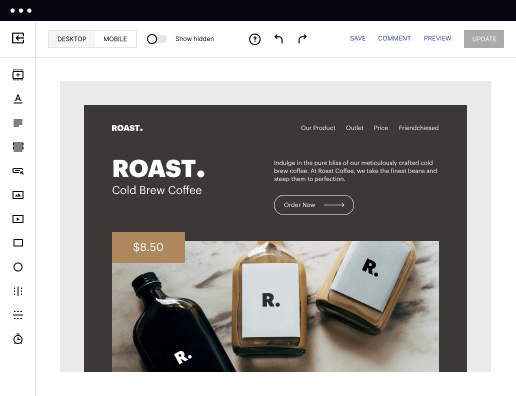
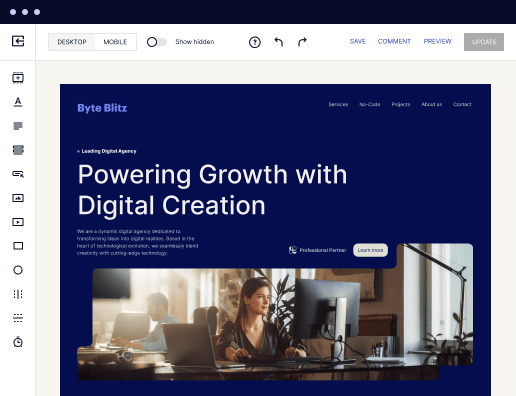
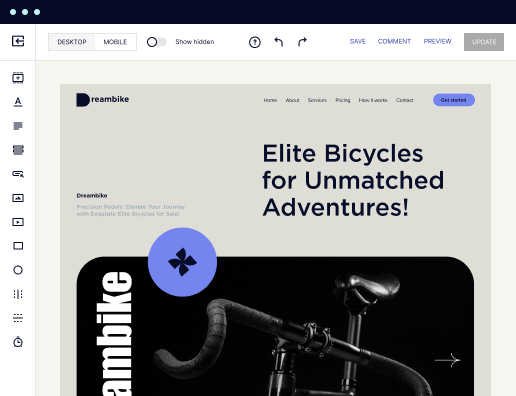
 Create forms with drag-and-drop interface
Easily create forms without design or coding skills. Simply drag different fields onto your canvas, arrange them the way you like, and customize them to collect the lead data you need.

 Add customization and branding elements
Create a form that fits seamlessly into the design of your landing page. Add unique fields, colors, buttons, and layouts that captivate your audience and reflect your brand's identity.

 Get your landing pages live faster
Access forms from a dedicated form library to launch your landing page faster. Skip the hassle of adding form embed codes or dealing with extra form building tools.

 Maximize efficiency with reusable forms
Save time by cutting down on repetitive tasks. Create your forms once and reuse them multiple times, or start with ready-made form templates that you can customize to fit your needs.

 Keep all your forms in one place
Keep all your forms organized in one online library on a single platform. Access your forms anytime and easily reuse them when needed.

 Integrate with any app
Send leads over to your favorite email services, marketing automation tools, CRMs, and more to easily connect with them, nurture relationships, and guide them through the sales funnel faster.


 Create forms with drag-and-drop interfaceAdd customization and branding elementsGet your landing pages live fasterMaximize efficiency with reusable formsKeep all your forms in one placeCreate forms with drag-and-drop interface
How to customize Multi-step Login Form with Instapage's Form Builder
Creating a Multi-step Login Form can enhance user engagement and increase conversion rates. With Instapage's Form Builder, you can easily customize the form to meet your specific needs. Follow these simple steps to design a seamless multi-step login experience.
Steps to effectively customize Multi-step Login Form
- Sign up for your free Instapage account and get a 14-day trial of the chosen plan.
- Customize your account and fill in your company details.
- On the Dashboard, click Assets -> Forms -> Create Form.
- Use Instapage’s Form Builder to customize the Multi-step Login Form.
- Add form fields such as text boxes, drop-down menus, buttons, and email inputs to tailor the form to your requirements.
- Explore additional options that may enhance functionality and user experience. Implement them as needed.
- Select SAVE to keep your changes or click CLOSE to discard any edits made.
By following these steps, you can easily customize a Multi-step Login Form that is not only user-friendly but also aligned with your brand's objectives. Start your journey with Instapage today to enhance your marketing efforts!
Get more conversions with customize Multi-step Login Form
Improve your Quality Score with quick load technology for landing pages
Increase conversions with content that aligns with your ads and audiences
Achieve maximum ROI by scaling your marketing initiatives

“Instapage gives us the ability to tailor our landing page content and layout to tell a unique story for each geographical target. The platform also enables us to create different variations with content that performs well for each unique channel. Every marketing team needs this!”


"Instapage has truly maximized our digital advertising performance by enabling us to offer matching, personalized experiences for every ad and audience. Now we can scale our landing page experiences as efficiently and effectively as we scale the ads themselves."


"If we have to wait on a developer, our creative velocity plummets. But Instapage has made it possible for us to exponentially grow our advertising programs and convert more customers"

Leading the way in building high-performing landing pages





Frequently Asked Questions
How to customize Multi-step Login Form
Ready to skyrocket conversions?
Supercharge your ad campaigns with high-performing landing pages.
Get started