
As marketing budgets tighten, it’s crucial to diversify. Organic search and AI-generated answers have become critical to growth, and the brands winning those placements aren’t the ones with the biggest budgets—they’re the ones whose pages are easiest for search engines and AI systems to understand.
Search engines and AI assistants look for structured signals that tell them who you are, what you offer, and whether your page is relevant to what someone is searching for. Without those signals, even a well-designed, fast-loading page can be invisible to the systems deciding what gets shown.
That gap is what schema markup closes. With Instapage’s new Schema Markup feature, you can generate, validate, and publish structured data directly from your page settings, no developers, no back and forth.
How does Schema Markup in Instapage work?
Instapage now lets you generate, validate, and publish structured data directly from your page’s SEO settings. Select a schema type, let AI generate the correct JSON-LD markup, validate it, and save. The schema is applied the next time you publish your page.
You can choose from the most common schema types, including Organization, Person, Product, LocalBusiness, Event, FAQPage, and more. If you’re not sure which type fits your page, the Auto-detect option analyzes your page and generates the right ones for you.
Whether you’re selling products, generating leads, or building a personal brand, here’s how different business types can put it to work.
- DTC brands: Product or Offer schema surfaces pricing, availability, and star ratings directly in search results, giving shoppers key purchase information before they even click your page.
- SaaS companies: Organization or FAQPage schema helps AI systems understand who you are and what you offer, increasing the chances of your brand being cited in AI-generated answers and Google’s AI Overviews.
- Professional services: Person schema signals to search engines that your page represents a specific individual, their expertise, and their services, making it easier for potential clients to find you when searching by name or specialty.
- Agencies: Schema can be added to each client page individually through the page’s SEO settings, giving you control over how each client’s pages are understood and indexed by search engines and AI systems.
How to add Schema Markup to your Instapage pages
Setting up schema on your landing pages. takes less than five minutes. Here’s how.
- Go to your landing pages dashboard and click on the page you want to add schema to.
- select SEO from the slideout menu on the right.
- Scroll to the Schema Markup section and click Generate Schema.
- Select a schema type. If you’re not sure which one fits your page, choose Auto-detect and Instapage will recommend the right type based on your page content.
- Review the generated markup in the editor. You can edit it directly or click Regenerate if you want a fresh version.
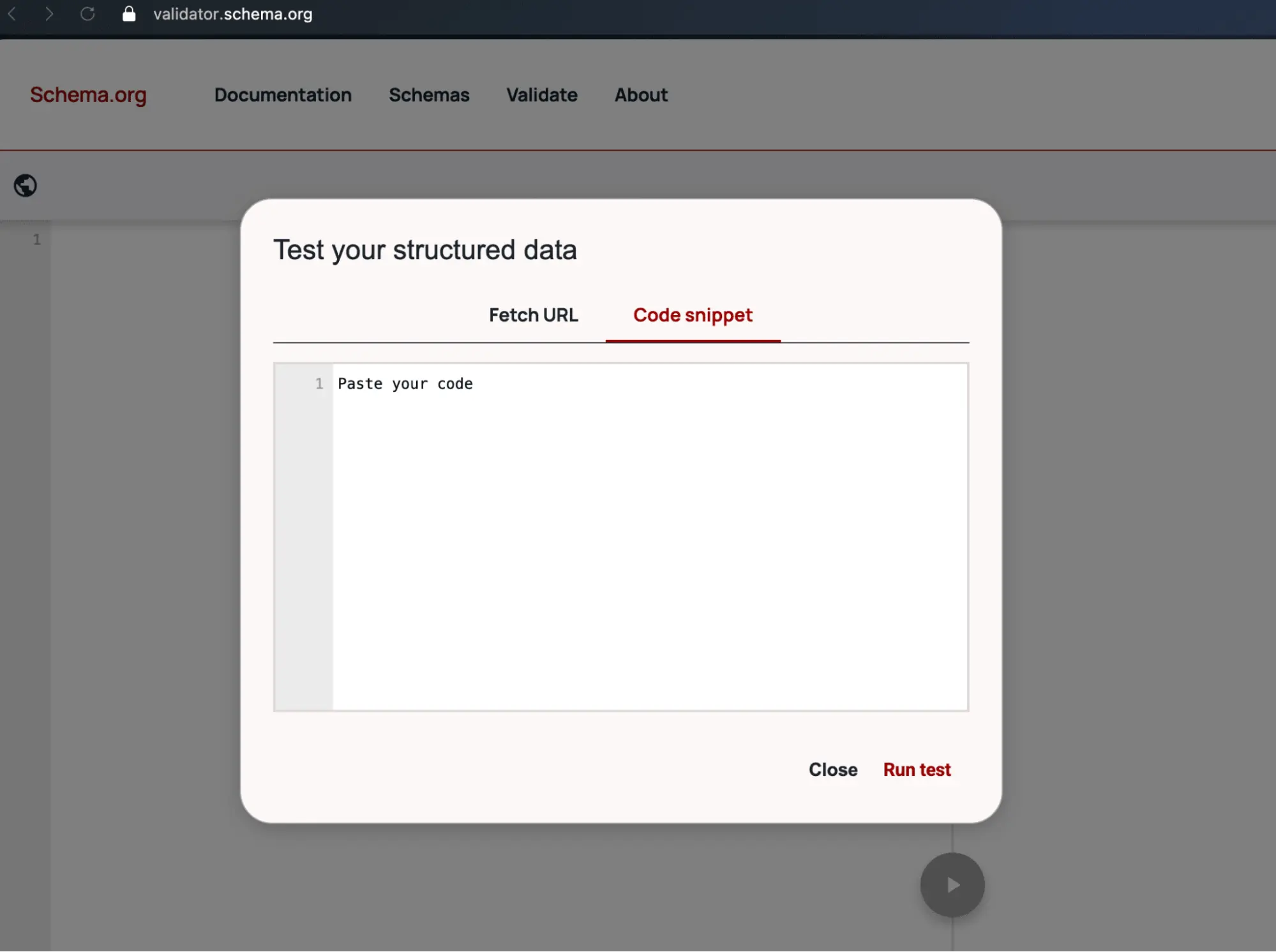
- Click Validate at schema.org to confirm there are no errors before saving.
- Click Save, then publish or republish your page for the schema to go live.
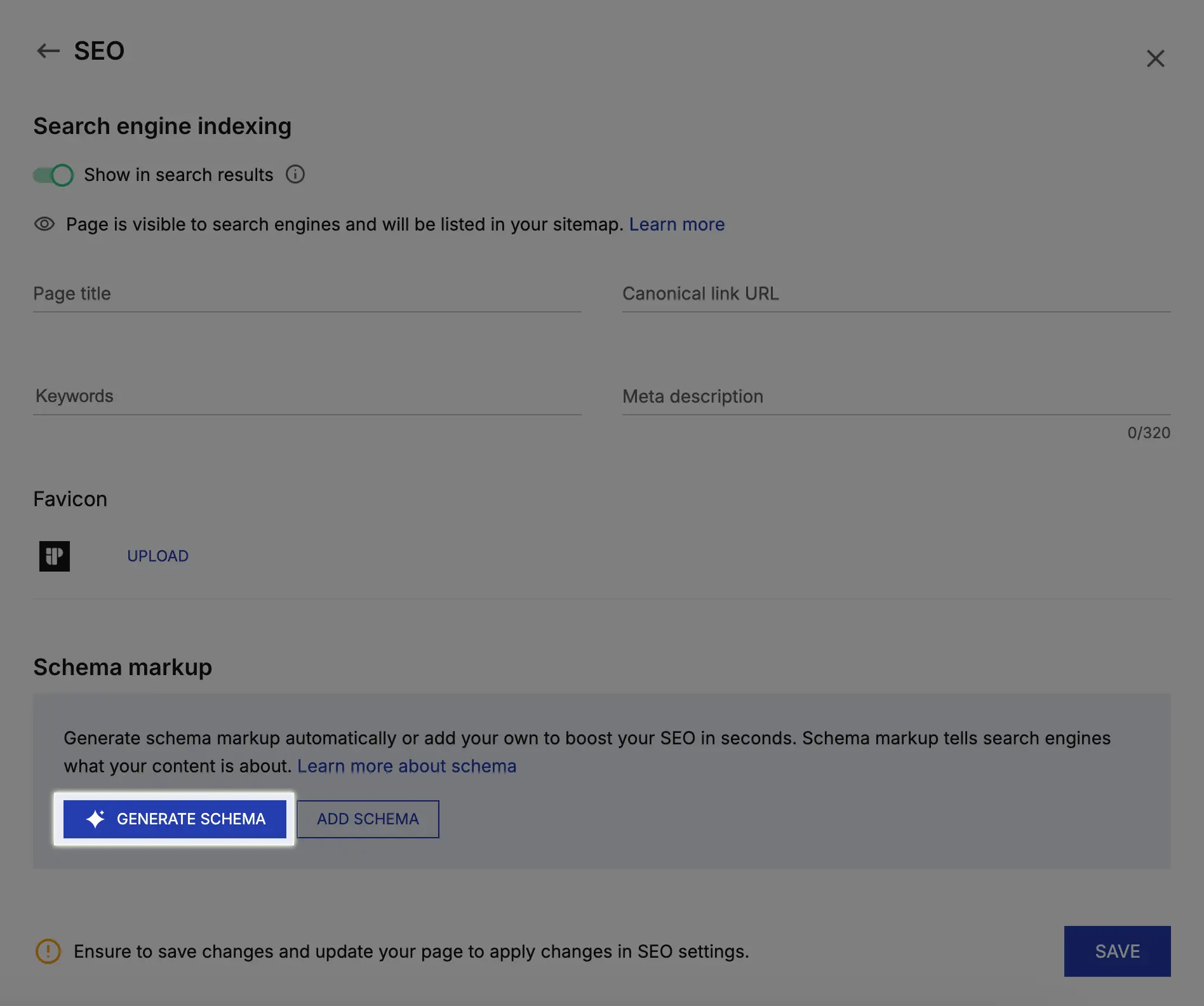
If you prefer to write your own schema, you can also add it manually through the same settings panel.
Add Schema Markup to your pages today
Schema Markup is now available across all Instapage pages. It takes less than five minutes to set up using the built-in AI generator, with no coding required. Or, if you prefer full control, you can add and edit the JSON-LD markup manually through the same settings panel.
Try out the feature today with a free 14-day Instapage trial.
